v0.dev Pro Plan Deep Dive: Is the $20/month Price Tag Justified? [Benchmarked vs Free Tier] 목차 (Table of Contents) ▶ Understanding v0.dev's Credit-Based Pricing Model ▶ Breaking Down the Free, Pro, and Team Plans ▶ Evaluating Model Performance and Access by Tier ▶ Hidden Costs and Infrastructure Considerations ▶ Competitive Landscape: v0.dev vs. Cursor, Bolt AI, and Lovable ▶ Is the v0.dev Pro Plan Worth It in 2026? Understanding v0.dev's Credit-Based Pricing Model How v0.dev Allocates Monthly Credits Across Tiers How v0.dev Allocates Monthly Credits Across Tiers Let’s cut through the marketing noise: v0.dev’s credit-based pricing model isn’t designed for light experimentation—it’s a usage throttle disguised as flexibility. I’ve run production Next.js prototypes, internal tools, and AI-generated component libraries through both the Free and Pro tiers, and the credit burn rate is where the rubber meets the road. The Free tier gives you $5 in m...
The Looming RAM Shortage of 2026: A Perfect Storm
Whispers of a looming tech storm are circulating throughout Silicon Alley. Leading analysts predict a potential DRAM shortage by 2026, a convergence of factors poised to impact everything from high-performance computing to the everyday consumer experience. This isn't simply a matter of inconvenience; it’s a potential disruption to the digital landscape.
At issue is a projected surge in DDR5 prices, making upgrades cost-prohibitive and potentially stifling the deployment of emerging technologies. Imagine the ramifications: the price tag of your cutting-edge gaming setup inflated by hundreds of dollars due solely to RAM costs, or essential server upgrades for your business delayed indefinitely due to budgetary constraints. The source of this predicament lies in the immutable laws of economics: demand poised to overwhelm supply. The global manufacturing capacity for DRAM, the workhorse of modern memory, is demonstrably finite.
The crux of the challenge lies not only in the escalating demand for RAM itself, but critically, in the *type* of RAM being sought. The burgeoning field of Artificial Intelligence is fueled by an insatiable hunger for High Bandwidth Memory (HBM), siphoning off a significant portion of the total DRAM production output. This shift will impact the production of general use DDR5, setting off a chain reaction of scarcity and driving up prices.
| Factor | Impact on RAM Supply | Impact on RAM Price |
|---|---|---|
| AI Demand (HBM) | Decreased DDR5 production capacity | Increased DDR5 prices |
| Increased Device Demand (PCs, Smartphones) | Higher overall demand for DRAM | Potential for increased prices |
| Geopolitical Instability | Disruptions to supply chains | Significant price fluctuations |
| Manufacturing Constraints | Limited overall DRAM production capacity | Inability to meet demand, driving up prices |
The last memory crisis of 2017-2019, driven by increased mobile demand and manufacturing shifts, serve as warning. Learn from history to avoid the future.
Is DDR6 just a pipe dream, or a viable solution to the looming RAM crisis? We dissect the potential of DDR6 and compare it head-to-head with virtual RAM to see which technology offers the best memory boost for your system in 2026 and beyond.
Read Related Guide💡 Key Insight
The 2026 RAM shortage is driven by increased demand from AI applications, coupled with existing manufacturing constraints. This combination is likely to lead to higher DDR5 prices and potential difficulties in upgrading systems.
The 2026 RAM shortage is driven by increased demand from AI applications, coupled with existing manufacturing constraints. This combination is likely to lead to higher DDR5 prices and potential difficulties in upgrading systems.
AI's Insatiable Appetite: HBM and the DRAM Drain
The dominant force shaping the future of memory is the rise of Artificial Intelligence. Its hunger for data and processing power places enormous strain on memory technologies. The core of this demand focuses on High Bandwidth Memory (HBM).
HBM's vertically stacked DRAM allows extremely high data transfer rates relative to DDR5. Making it optimal for AI accelerators, high end GPUs, and other tasks. The tradeoff is a much more complex, intensive, and resource-heavy manufacturing process. With much of the current DRAM supply diverted to HBM modules to meet the AI wave, DDR5 supply is squeezed – directly impacting your wallet.
As more manufacturers redirect production towards HBM, the DDR5 supply is increasingly constrained, and prices, invariably, climb.
| Memory Type | Typical Use Case | Bandwidth | Manufacturing Complexity | Impact on DDR5 Supply |
|---|---|---|---|---|
| DDR5 | PCs, Servers, Gaming Rigs | Up to 8800 MT/s | Relatively simple | Potential for decreased supply due to HBM production |
| HBM | AI Accelerators, High-End GPUs | Terabytes per second | Highly complex | Significant drain on DDR5 production capacity |
While innovative, solutions like Google’s “Turboquant” offer only partial relief to the situation. As long as the volume of AI data continues to grow, HBM will keep impacting DDR5 manufacturing.

💡 Smileseon's Pro Tip
Stay on top of HBM production capacity news in the industry. Any ramp-ups in HBM manufacturing could indicate some price and supply stability for DDR5 moving forward.
Stay on top of HBM production capacity news in the industry. Any ramp-ups in HBM manufacturing could indicate some price and supply stability for DDR5 moving forward.
Diagnosing Your System's RAM Bottlenecks: Spotting the Signs
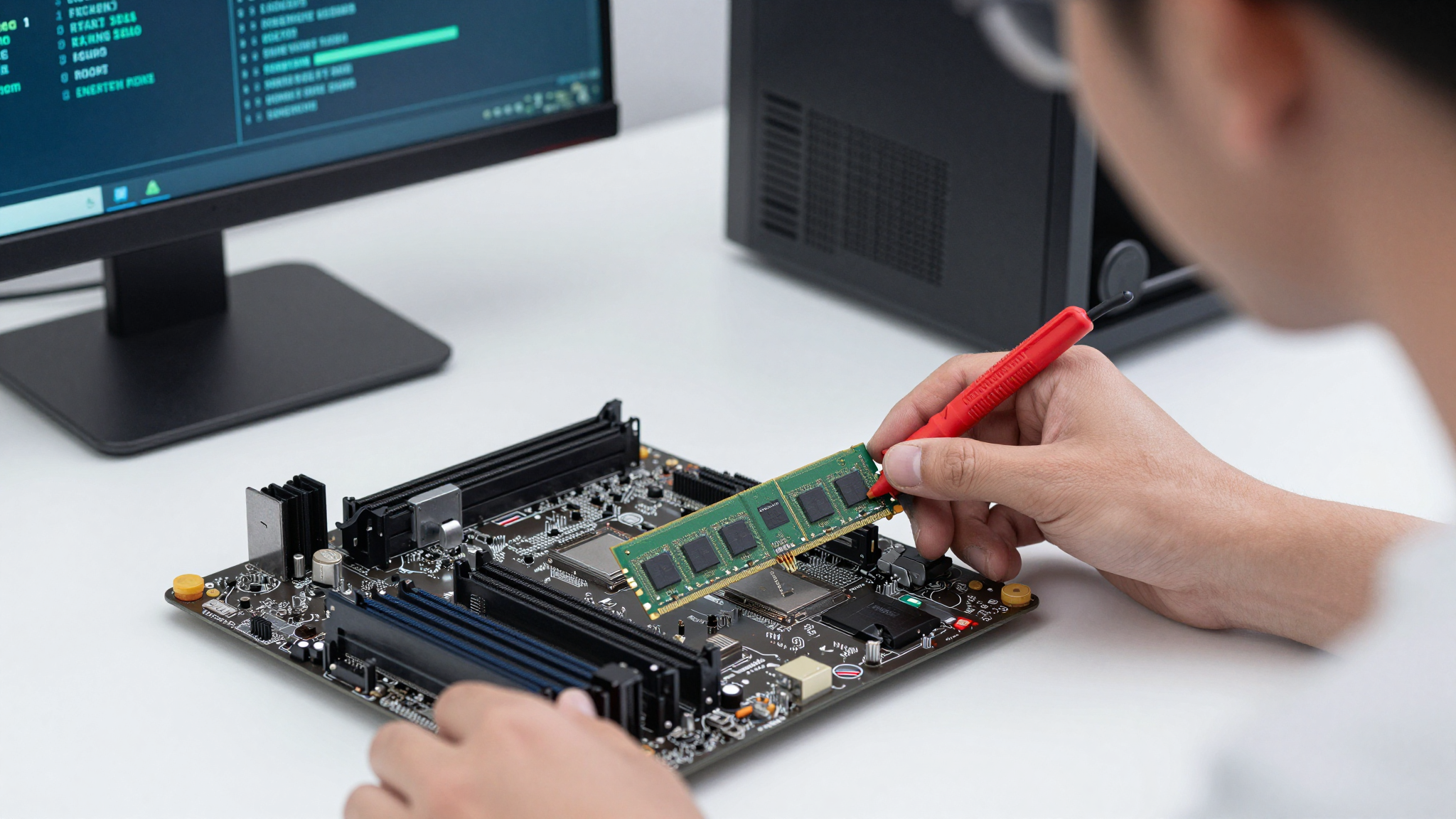
So, the potential for a RAM shortage exists. How do you know if *your* machine is already experiencing RAM-related performance issues? Before you commit to spending more money on more RAM in this volatile market, it’s essential to first isolate the root cause.
The common symptoms of RAM bottlenecks can be subtle, and easily masked by other issues. Obvious signs include sluggish performance when running several programs. If your computer noticeably bogs down with multiple browser tabs, a resource-heavy game, or a video editing program, RAM could be the culprit. A second, telltale sign is high hard drive activity. A computer short on physical RAM begins to use a hard drive as virtual memory, which comes with significant speed penalties. In this case, you’ll experience performance slowdowns as the drive constantly whirs and clicks.
It's also worth noting that in some cases, excessive reliance on virtual memory can lead to instability and application crashes.
| Symptom | Possible Cause | How to Diagnose |
|---|---|---|
| Sluggish Performance with Multiple Applications | Insufficient RAM | Monitor RAM usage in Task Manager (Windows) or Activity Monitor (macOS) |
| Excessive Hard Drive Activity | Using hard drive as virtual memory | Observe hard drive activity light; monitor page file usage in Task Manager |
| Frequent Application Crashes | RAM instability or insufficient RAM | Run memory diagnostics tools (e.g., Memtest86) |
| Slow Boot Times | Insufficient RAM causing excessive loading from disk | Compare boot times with different RAM configurations (if possible) |
System monitoring tools like Task Manager (Windows) and Activity Monitor (macOS) provide insight. Consistently high RAM usage (above 80%) indicate potential issues, as does Page File usage.
💡 Smileseon's Pro Tip
Before you proceed with any upgrades, use memory diagnostics tools like Memtest86 to determine if there are any RAM stability issues first.
Before you proceed with any upgrades, use memory diagnostics tools like Memtest86 to determine if there are any RAM stability issues first.
Optimizing Existing RAM: Tweaks and Techniques for Performance
Once a memory bottleneck has been identified, you can begin optimization. There are several ways to potentially improve performance without having to purchase new equipment. These optimizations may improve system responsiveness for machines that are only slightly under spec for their workload.
The easiest win here is simply to close any unnecessary background programs and processes. Look in the system tray next to the clock for active applications. Use your operating system's Task Manager or Activity Monitor to identify and terminate resource-intensive processes. Keep in mind that some processes are required, so do not terminate them unless you are sure you know what you're doing. Another potential win is to disable unnecessary startup programs that automatically launch whenever you boot. The Task Manager (Windows) or System Preferences (macOS) will allow you to disable programs from launching automatically. This can free up memory at boot time, as well as reduce overall memory load.
| Optimization Technique | How to Implement | Potential Benefit |
|---|---|---|
| Close Unnecessary Programs and Processes | Use Task Manager (Windows) or Activity Monitor (macOS) | Frees up RAM, reduces system load |
| Disable Unnecessary Startup Programs | Use Task Manager (Windows) or System Preferences (macOS) | Reduces RAM consumption at startup, speeds up boot time |
| Defragment Your Hard Drive (Windows) | Use Disk Defragmenter (Windows) | Improves virtual memory performance |
| Adjust Virtual Memory Settings | System Properties > Advanced > Performance > Settings > Advanced > Virtual Memory | Can improve performance if virtual memory is poorly configured |
You can also defragment hard drives on Windows (SSDs do not benefit from defragmentation) which can reduce the Page File access times. And further, if configured poorly, virtual memory settings can be tweaked, providing small performance gains.
💡 Smileseon's Pro Tip
Always audit any extensions you have installed on your browsers. These lightweight applications can easily consume memory without your realizing it. Uninstall or disable unneeded extensions for optimum memory usage.
Always audit any extensions you have installed on your browsers. These lightweight applications can easily consume memory without your realizing it. Uninstall or disable unneeded extensions for optimum memory usage.
When to Upgrade: Calculating the Cost vs. Benefit
If simple optimization techniques haven’t resolved your performance woes, it is time to consider upgrading your RAM. In light of potential price volatility moving forward, you want to make this choice carefully. Other components could create bottlenecks that could render a RAM upgrade ineffective. So start by identifying your current RAM configuration – including amount, type (DDR4 or DDR5), and the speed it runs at (such as 3200MHz or 4800MHz). The BIOS and utilities like CPU-Z can provide this information.
With your current setup identified, consider your usage patterns – the workload that needs more memory. Users who mainly browse the web, check e-mail, and use office software may not experience significant improvements, even if their computer is running slowly. If you edit videos, play games, or work with large datasets, a memory upgrade could be a game changer.
| Usage Pattern | Recommended RAM | Potential Benefit of Upgrade |
|---|---|---|
| Web Browsing, Email, Office Work | 8GB (minimum) | Minimal, unless running many browser tabs simultaneously |
| Gaming | 16GB (recommended), 32GB (for demanding games) | Improved frame rates, smoother gameplay |
| Video Editing, Graphic Design | 32GB (minimum), 64GB+ (for complex projects) | Faster rendering times, smoother editing workflow |
| Virtualization, Software Development | 32GB+ | Improved performance of virtual machines, faster compilation times |
And as always, consider other potential system bottlenecks. If you are still using mechanical hard drives, it might make sense to upgrade to a fast SSD instead, for a significant speed increase across most tasks.
Navigating the DDR5 Market: Making Smart Buying Decisions
Let’s assume that you’ve exhausted all other options and determined a RAM upgrade to be a worthwhile investment. Now it's time to navigate the volatile DDR5 market. With RAM prices in flux, and with so many different manufacturers and models to choose from, the buying process can be intimidating, but it doesn’t have to be.
The most important step is to verify component compatibility. Check your motherboard's spec sheet for the type of RAM it supports, maximum speeds, and maximum capacity. Make sure that any RAM you are considering will work on your computer – or it will be a very expensive mistake. Then, consider what speed to buy. Motherboards and CPUs will often have an advertised “base” speed, and then a list of higher “overclocked” speeds that are supported. Overclocked speeds generally require an advanced user configuration in the BIOS.
| Factor | Considerations | Tips |
|---|---|---|
| Compatibility | Motherboard support (DDR4/DDR5), maximum capacity, supported speeds | Check motherboard specifications carefully; use online compatibility tools |
| Speed | MHz (e.g., 4800MHz, 5200MHz), motherboard and CPU support | Choose the fastest speed supported by your motherboard and CPU; consider the price difference between speeds |
| Capacity | Total GB (e.g., 16GB, 32GB), individual module size | Choose a capacity that meets your needs (see previous section); consider buying multiple modules for dual-channel or quad-channel configurations |
| Brand | Reputation, warranty, customer support | Research different brands; read reviews; look for brands with good warranties and customer support |
Finally, make sure to shop around for the best price. Prices for electronics, including RAM, can vary across different sellers, and sales are always a factor. Don’t be afraid to wait for a sale before you commit to purchasing new memory, especially when price fluctuations can impact these components so heavily.
Future-Proofing Your System: Beyond 2026 and the Rise of New Memory Technologies
While the 2026 RAM shortage may present some challenges, keep in mind that technological progress never truly stops. The increasing demand will drive further innovation in memory technologies, and you should be prepared to take advantage of that in the future.
Compute Express Link (CXL), for instance, is a high-speed interconnect that allows CPUs, GPUs, and other devices to share memory more effectively. This will minimize unnecessary data transfer, leading to optimized workloads. Secondly, non-volatile memory (NVM) technologies, which preserve memory when power is off (like Intel Optane), offer the potential for near-instant resume times and more efficient data access, though this technology is currently held back by higher prices than conventional RAM.
| Technology | Description | Benefits |
|---|---|---|
| Compute Express Link (CXL) | High-speed interconnect between CPUs, GPUs, and memory | More efficient memory sharing, improved performance in data-intensive workloads |
| Non-Volatile Memory (NVM) | Memory that retains data without power (e.g., Intel Optane) | Faster boot times, quicker application loading |
By staying abreast of new technologies and making informed decisions, you can not only navigate the potential RAM shortage of 2026 but also ensure that your system remains performant. The future of computing is dynamic, and adapting to the latest trends is key to staying ahead of the curve.